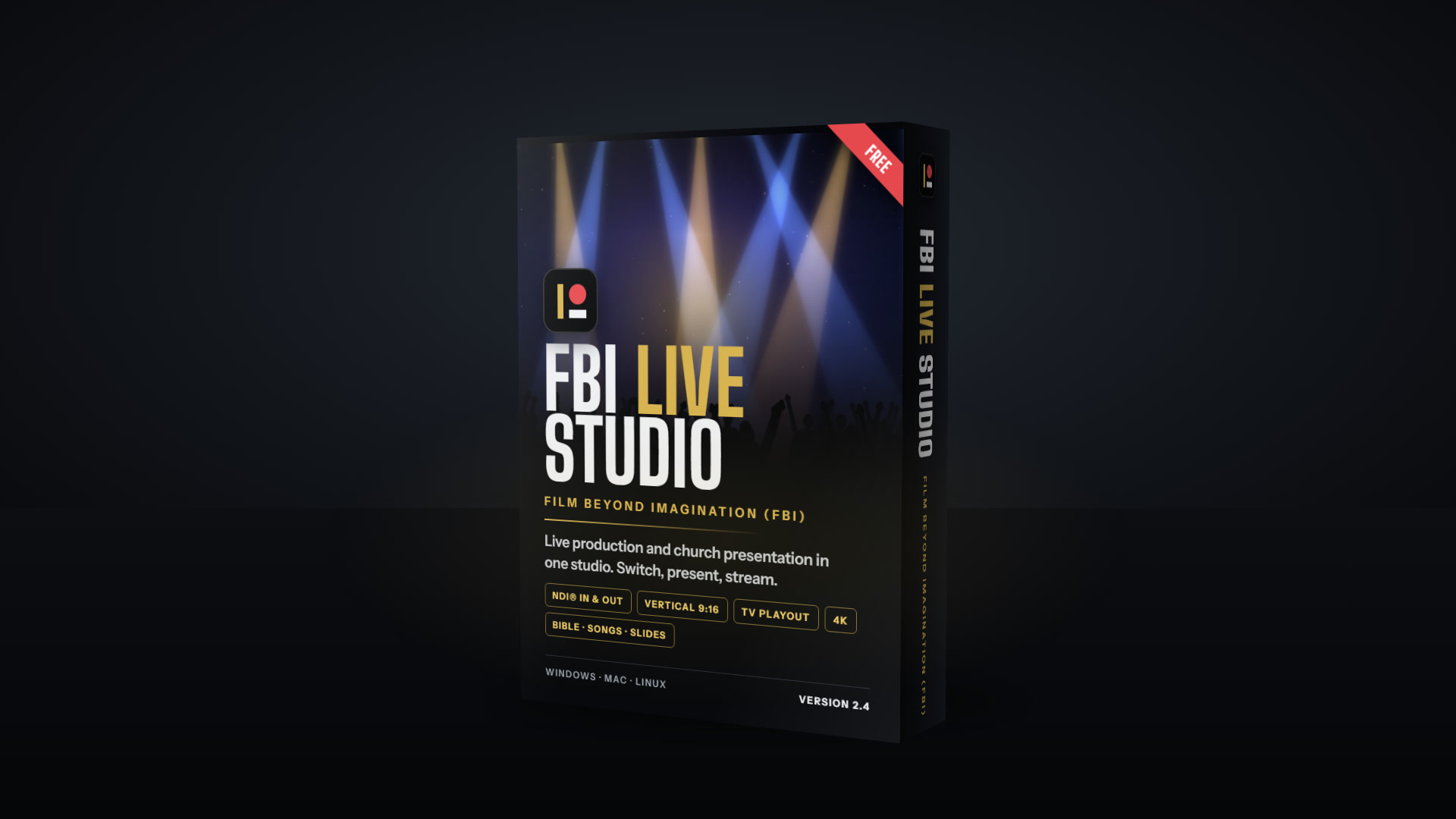
Your whole broadcast.
One free studio.
FBI Live Studio switches your cameras and NDI sources, plays your videos, puts Bible verses and song lyrics on screen, brings in remote guests, streams landscape and vertical to YouTube, Facebook, TikTok, Twitch and 15 more platforms at once, and runs a 24/7 TV channel. It runs on Windows, Mac and Linux, and it costs nothing.
Version 2.4.1 · Windows, Mac and Linux · No account, no watermark, no subscription
See it in under 2 minutes
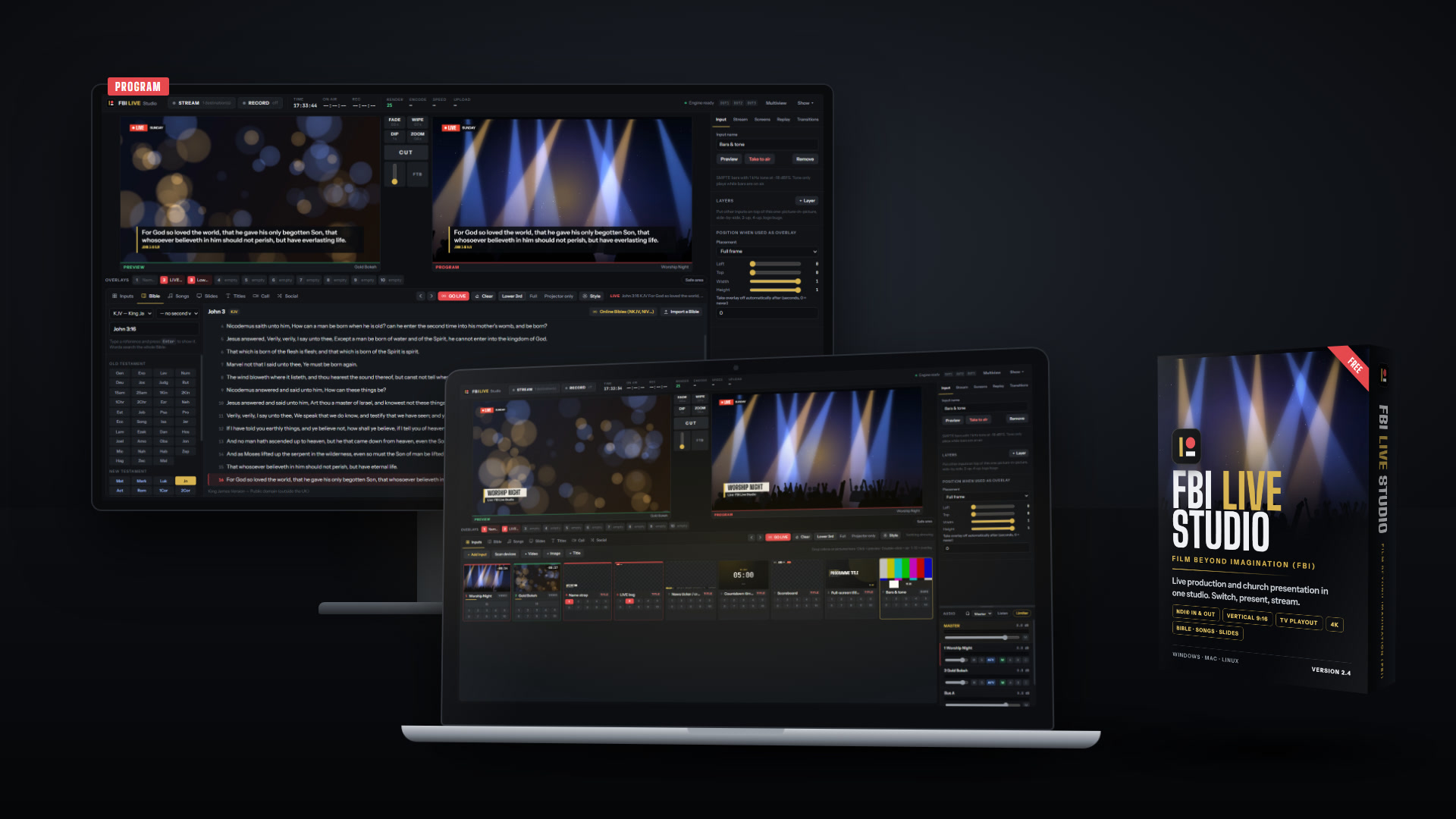
A quick tour of everything in the box, including what's new in 2.4: vertical 9:16, NDI® and TV playout. Every screen in it is the real app.
Switch like a TV control room
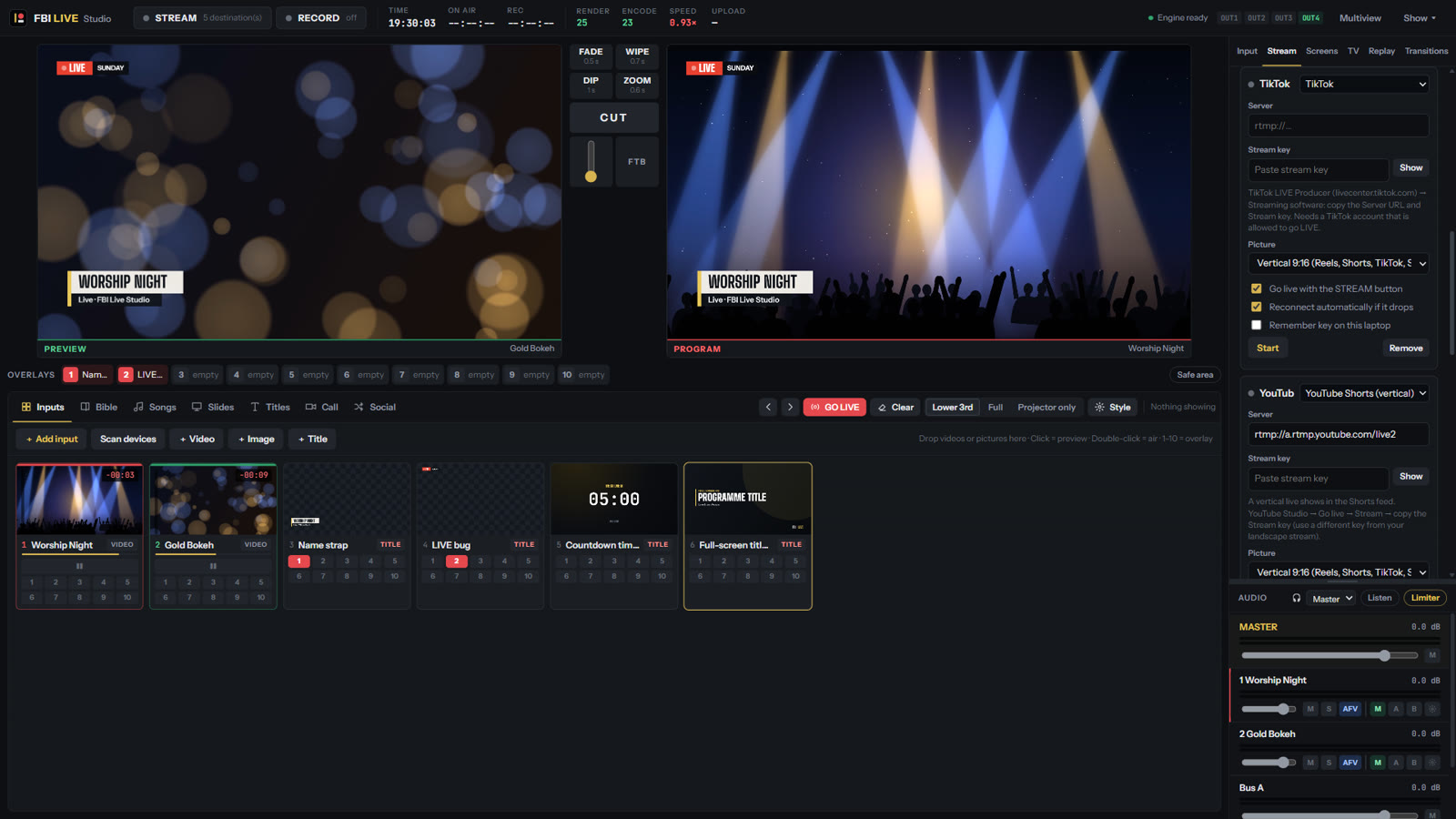
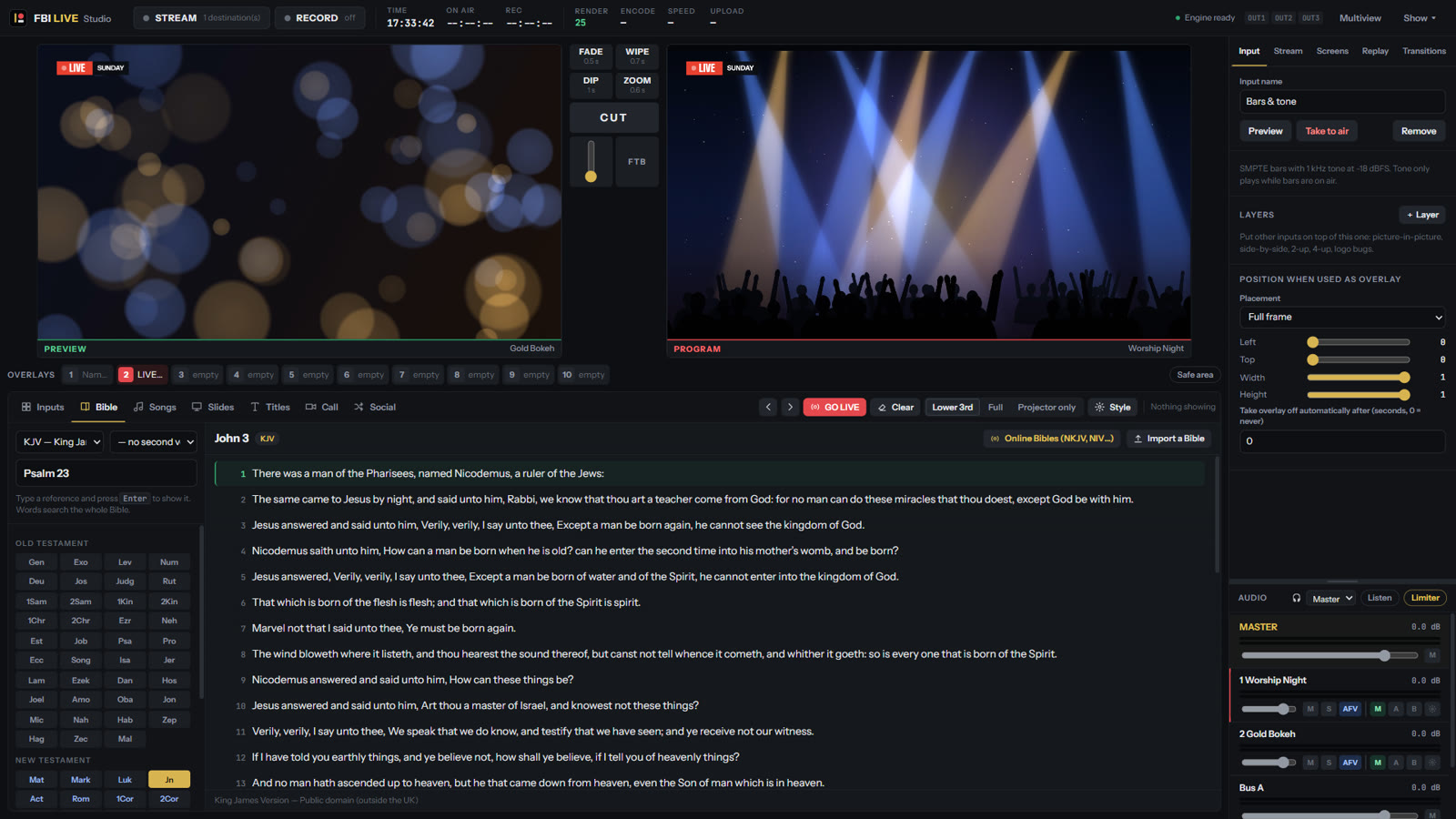
Green is what goes next, red is what's on air. Line up the next shot on Preview, then take it to Program with a cut or a transition, the way broadcast switchers have always worked.
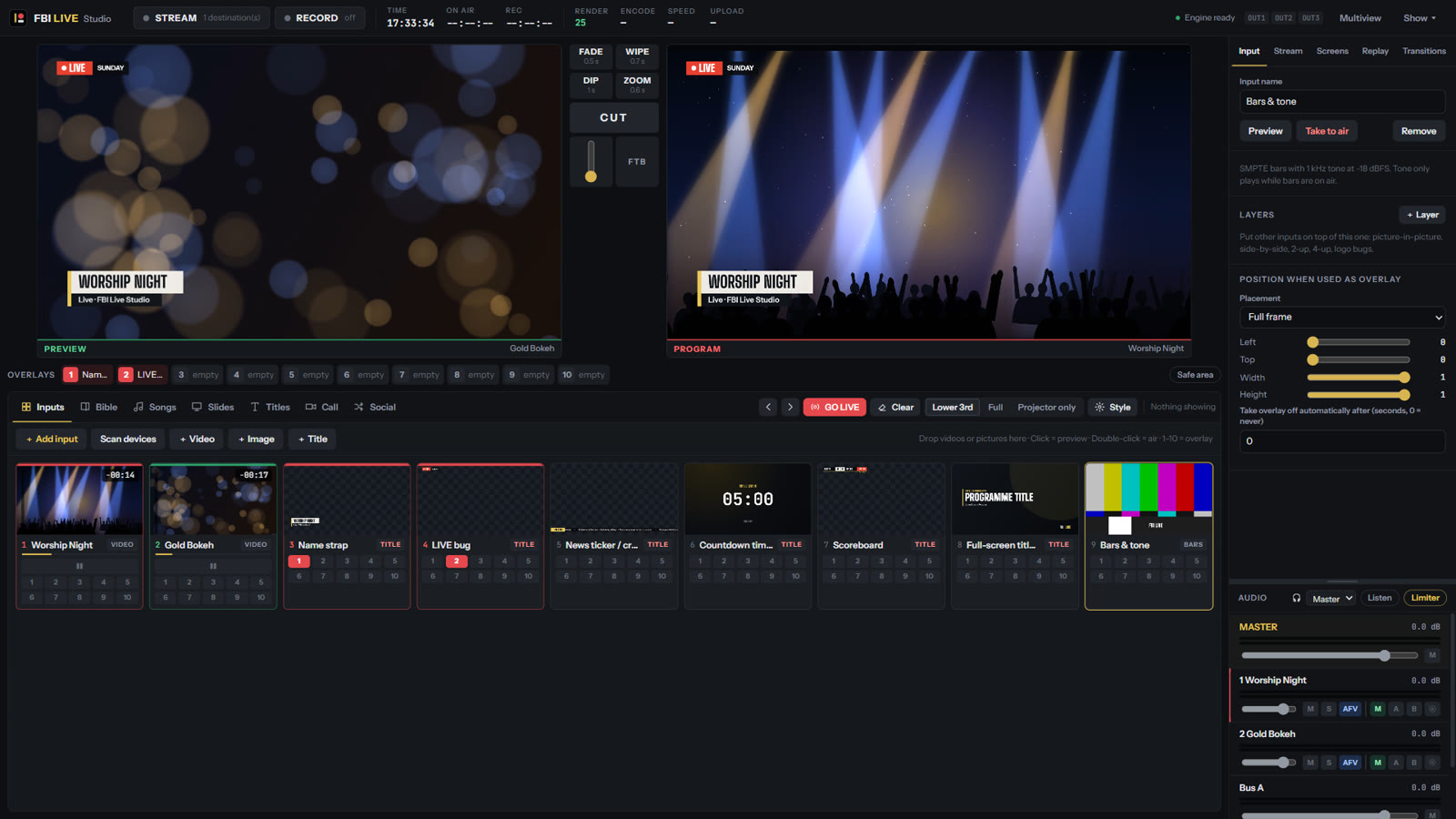
Preview and Program
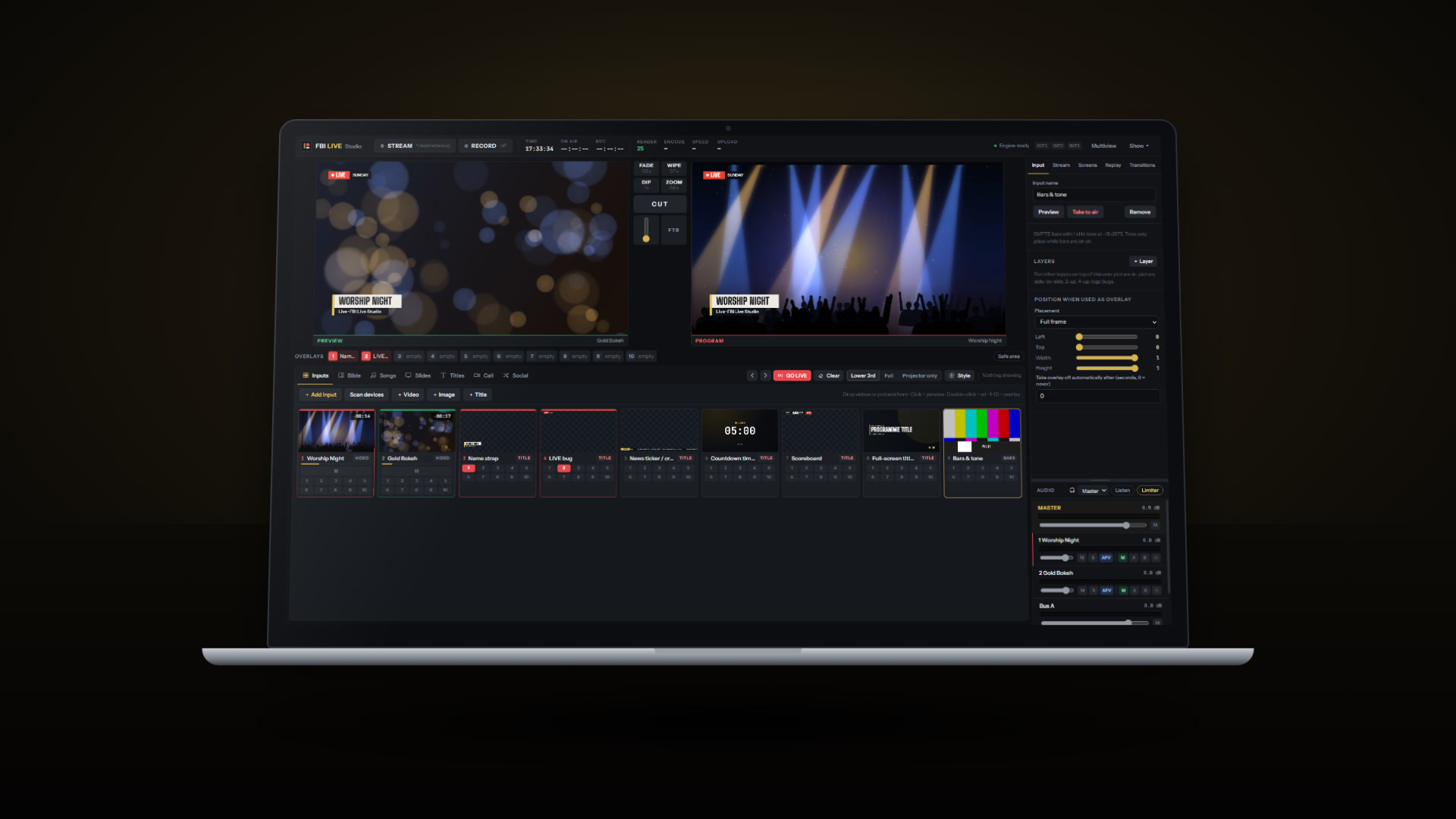
Click an input card to preview it, double-click to take it straight to air. Media cards count down the time left, in red for the last 10 seconds.
Transitions
- Four transition buttons, set to Fade, Wipe, Dip and Zoom, each with its own duration
- CUT, a T-bar for manual transitions, and FTB (fade to black)
- Stinger transitions that play a video of your own and cut underneath it
10 overlay layers
Put name straps, logos, a scoreboard or a picture-in-picture camera on top of whatever is on air. Press Alt+1–0, or click 1–10 on any card. Overlays can take themselves off after a set number of seconds.
720p to 4K
Run the program at 4K, 1440p, 1080p or 720p, at 25, 30, 50 or 60 frames per second. The app warns you if your computer's graphics are too weak for 4K.
Smooth 4K playback
Drop in a 4K video on a 1080p show and FBI Live Studio quietly makes a lighter playback copy in the background, then swaps it in at the same moment. No stutter on air.
Multiview
Open a multiview of every source, or a clean full-screen program feed, on a second screen or TV.
Safe area
Show title-safe guides on the monitors so nothing important gets cut off on a TV.
Live readouts
Clock, time on air, recording time, render rate, encoder speed and upload rate sit along the top, so you see trouble before your viewers do.
Uses your graphics card
Encoding runs on Intel Quick Sync, NVIDIA NVENC, AMD AMF or Apple VideoToolbox automatically, which keeps the processor free for the show.
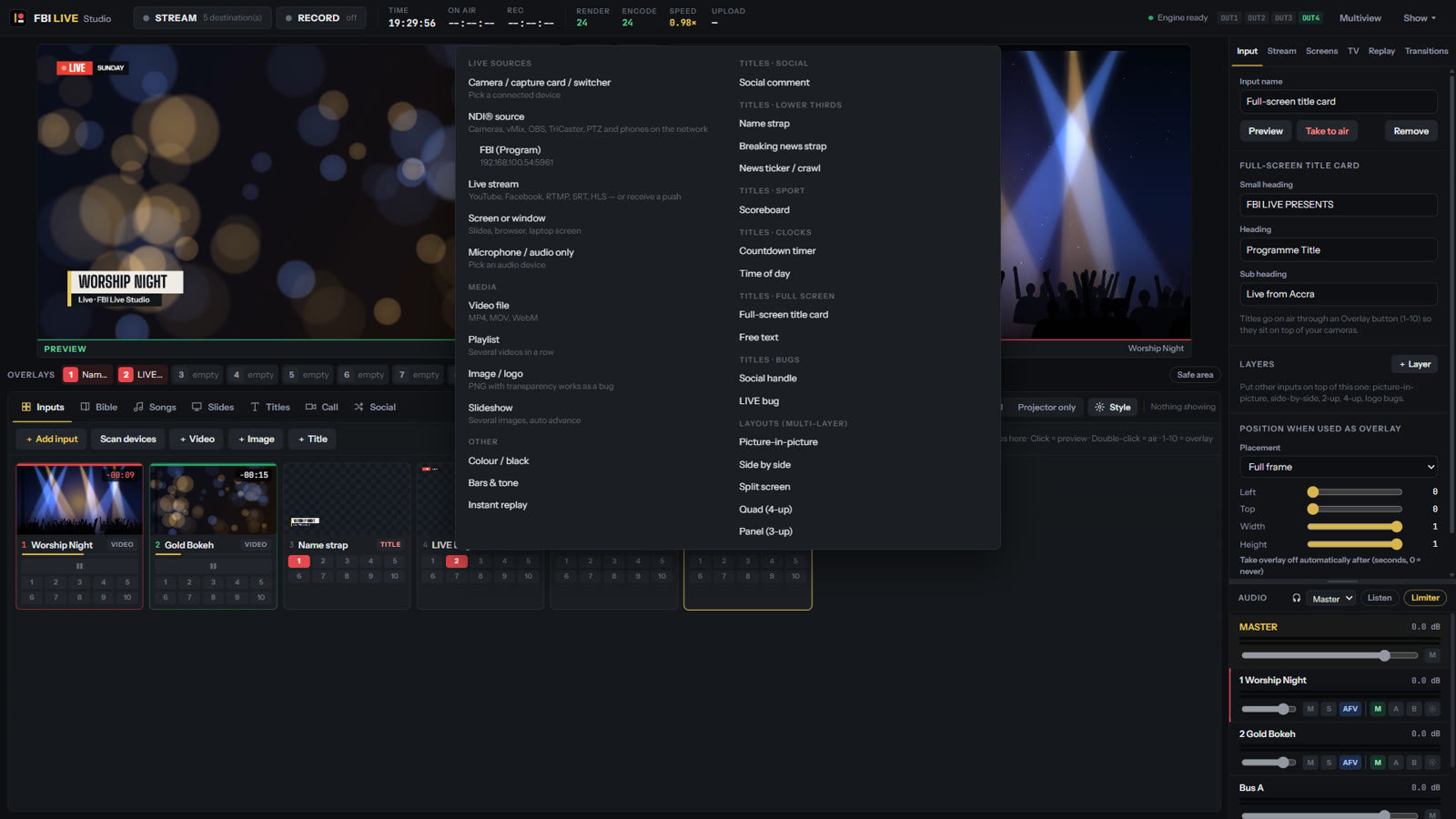
Add anything to the show
Plug in a USB-C switcher or an HDMI capture card and press Scan devices. Drag videos and pictures straight onto the inputs area.
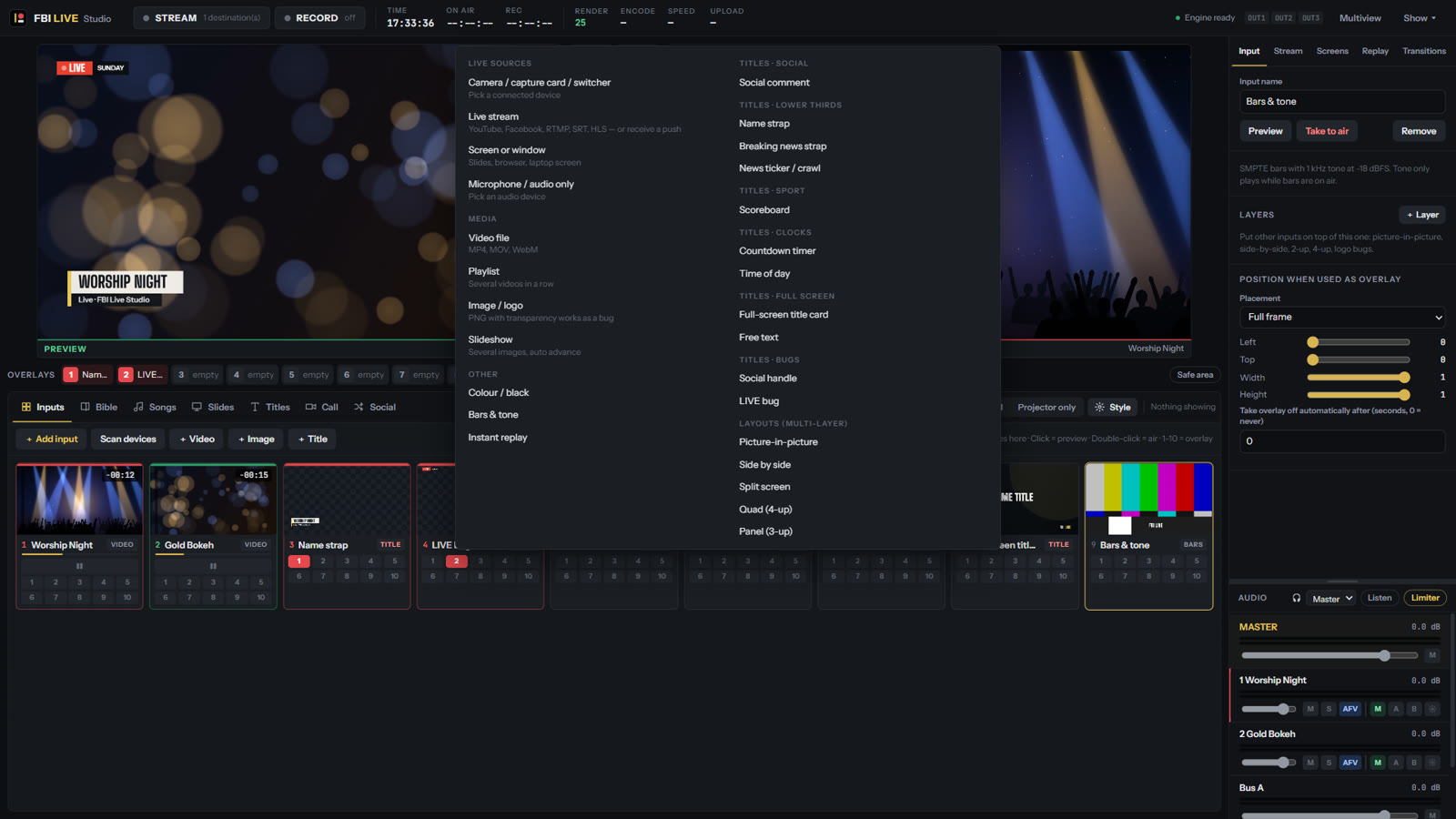
Sources
Layouts
Picture-in-picture, side by side, split screen, quad (4-up) and a 3-up panel. Any input can carry layers of other inputs on top of it.
Shape every input
- Chroma key for green or blue screen, done on the graphics card
- Crop, position, colour adjustment and mirror
- Loop, playlists and audio that follows video
Broadcast titles, ready to type into
Animated FBI title designs that look like television from the first show, plus a full designer for your own.
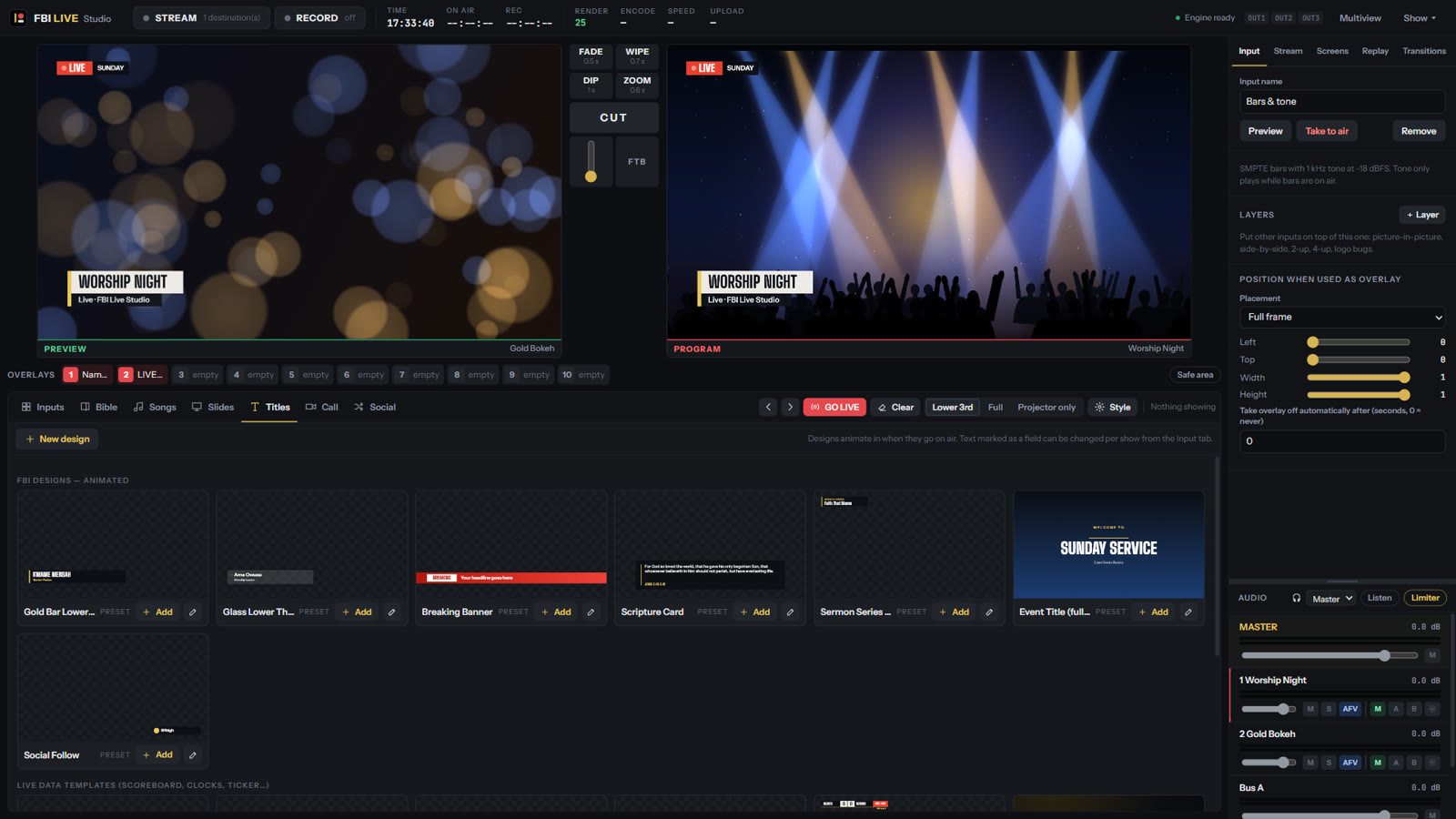
Built-in title inputs
FBI designs
Lower thirds, breaking banner, scripture card, series bug, event title and social cards, all animated in and out.
Title Designer
Text, boxes, circles and pictures. Drag and resize, add gradients, shadows and entrance animations, then mark fields as editable so the team only fills in names on the day.
Built for the Sunday service
Scripture, lyrics and sermon slides live in the same app as the cameras, so one person can run the projector and the stream together.
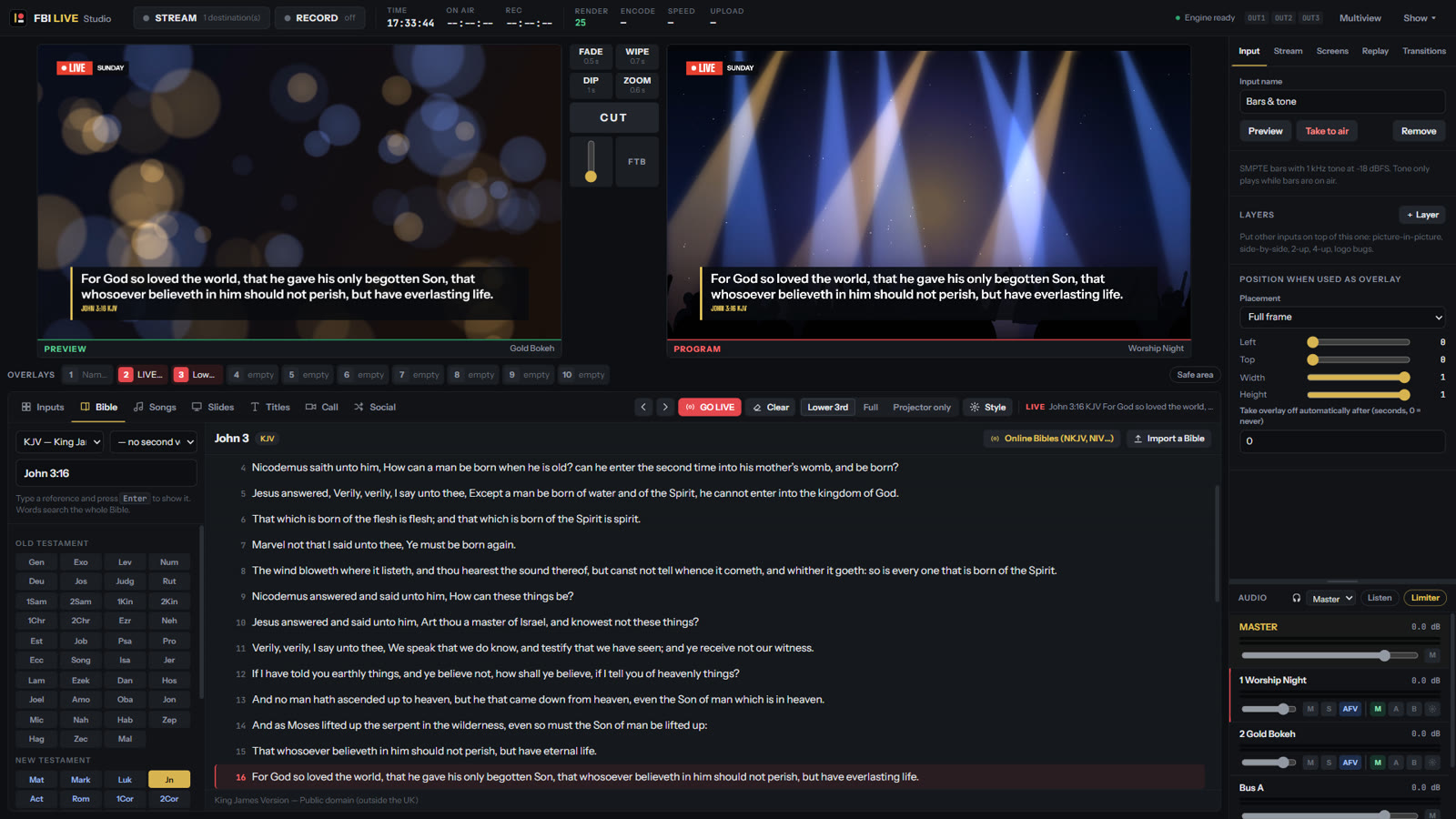
The Bible, instantly
Type jn 3:16, Ps 23 or 1 Cor 13:4-7 and press Enter, or search by words. Show two versions side by side.
20 Bibles built in, no internet needed
KJV, BSB, WEB, NHEB, ASV, UKJV, BBE, Darby, YLT, Webster, ACV, Rotherham, Geneva 1599, Douay-Rheims and CPDV in English. Louis Segond 1910, Darby, Crampon, Martin and Synodale in French.
NKJV, NIV, ESV and 1,000+ more
Add licensed versions with your church's own free key from API.Bible, YouVersion Platform or Crossway. Download them for offline use, or import a Bible your church is licensed for from Zefania XML, OSIS, JSON or CSV.
Songs
A lyrics library: type or paste songs with [Verse] and [Chorus] labels, import .txt or OpenLyrics files, search, and click through the slides.
Slides
Import PowerPoint, PDF or pictures. Speaker notes show on the stage display, and presentation clickers work.
Presenter bar
GO LIVE, Previous, Next and Clear. Send text as a lower third on the stream, full screen, or to the projector only.
Five looks
FBI Gold, Classic, Clean shadow, Light and Royal blue, with your own text size, background picture or moving video background.
Stage display
Shows the clock, a service timer, what's live, what's next, speaker notes and messages you send to the pulpit.
Three output screens
Send Program, clean Program, Preview, Projector, Stage display, Multiview or any single input, full screen, to up to three displays.
An audio mixer that won't clip
Every source gets a fader. A limiter on the master keeps the stream from distorting, even when the choir hits the high note.
Faders and meters
A fader and level meter for every source, with Mute, Solo for headphones, Master, and Bus A and B sends.
Audio follows video
Turn on AFV and a source's sound comes up when you take it to air and goes away when you cut off it.
Per-channel processing
EQ, compressor, gain, pan and a lip-sync delay to line up sound with a camera that runs late.
Stream everywhere at once
Pick your platforms, paste each stream key, press STREAM. The studio encodes the program once and copies it to each destination, so one platform failing never takes down the others.
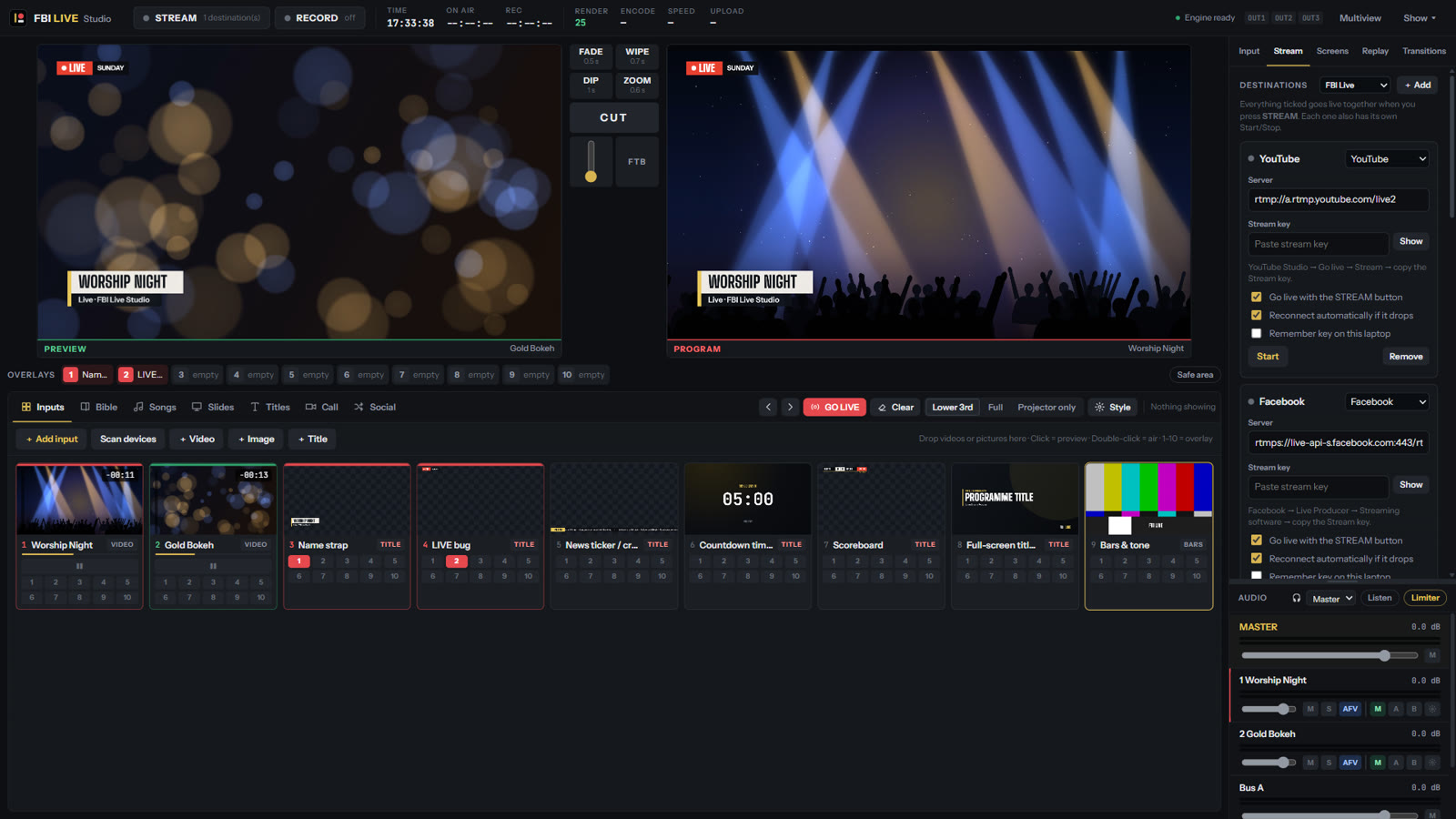
Each platform on its own
Every destination has its own Start and Stop and reconnects by itself if the internet drops.
Choose the stream size
Stream and record at the program size, or pick 720p, 1080p, 1440p or 4K. Run a 4K show and still send 1080p to platforms that want it. Bitrates go up to 35 Mbps.
Record while you stream
- Saves the program as MP4 in Videos → FBI Live Studio
- ISO recording: every camera to its own file for editing later
- Optional: start recording automatically when you press STREAM
Landscape and vertical, at the same time
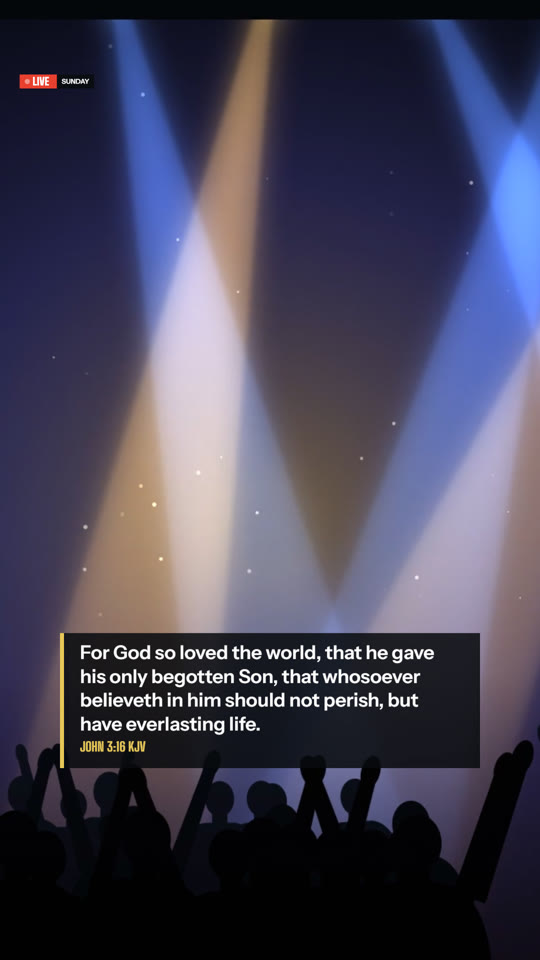
Phones watch tall. FBI Live Studio makes a 9:16 version of your show as you go and sends it to Reels, Shorts, TikTok and Stories while your landscape stream goes to YouTube and Facebook.
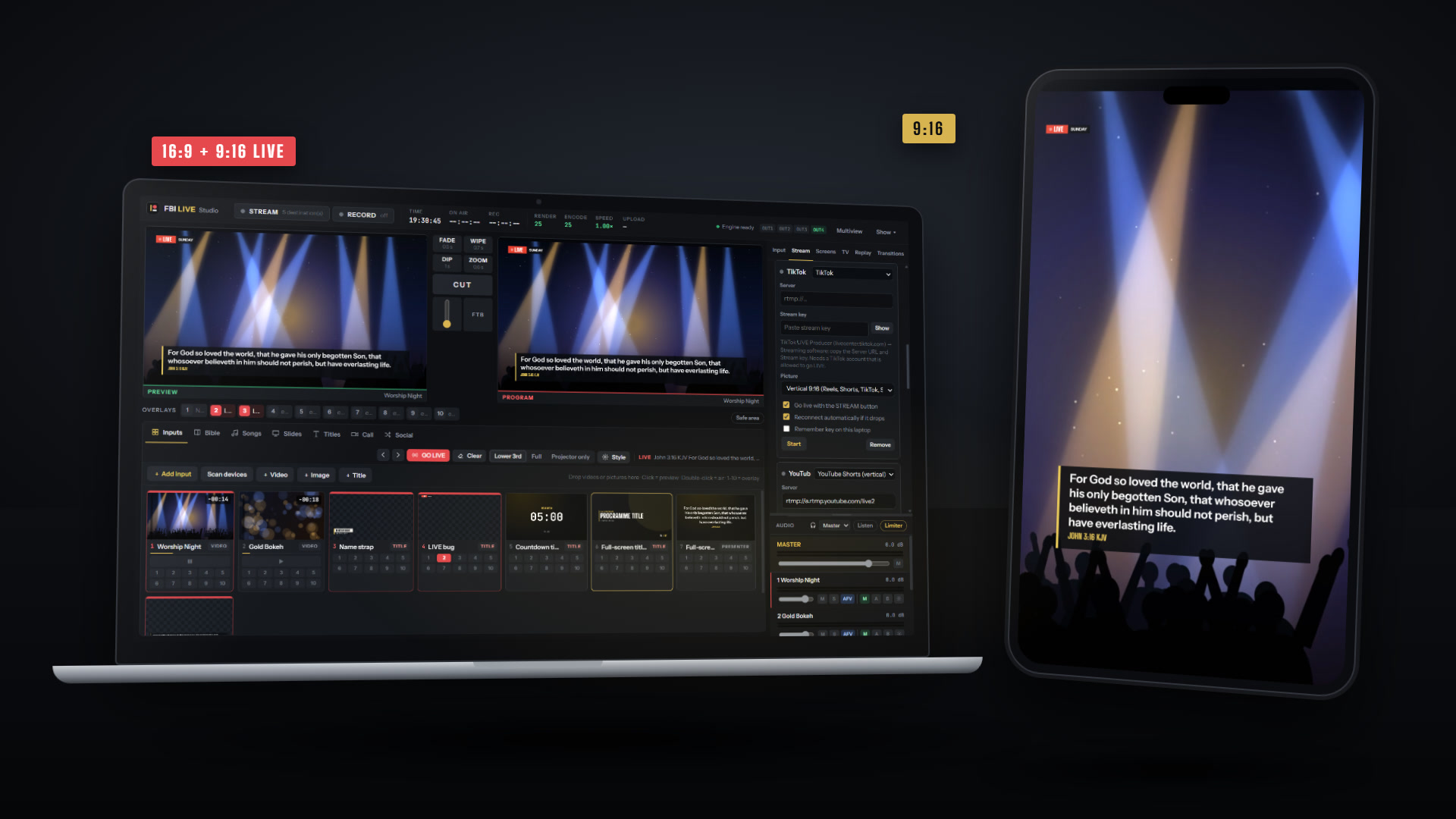
Smart vertical crop
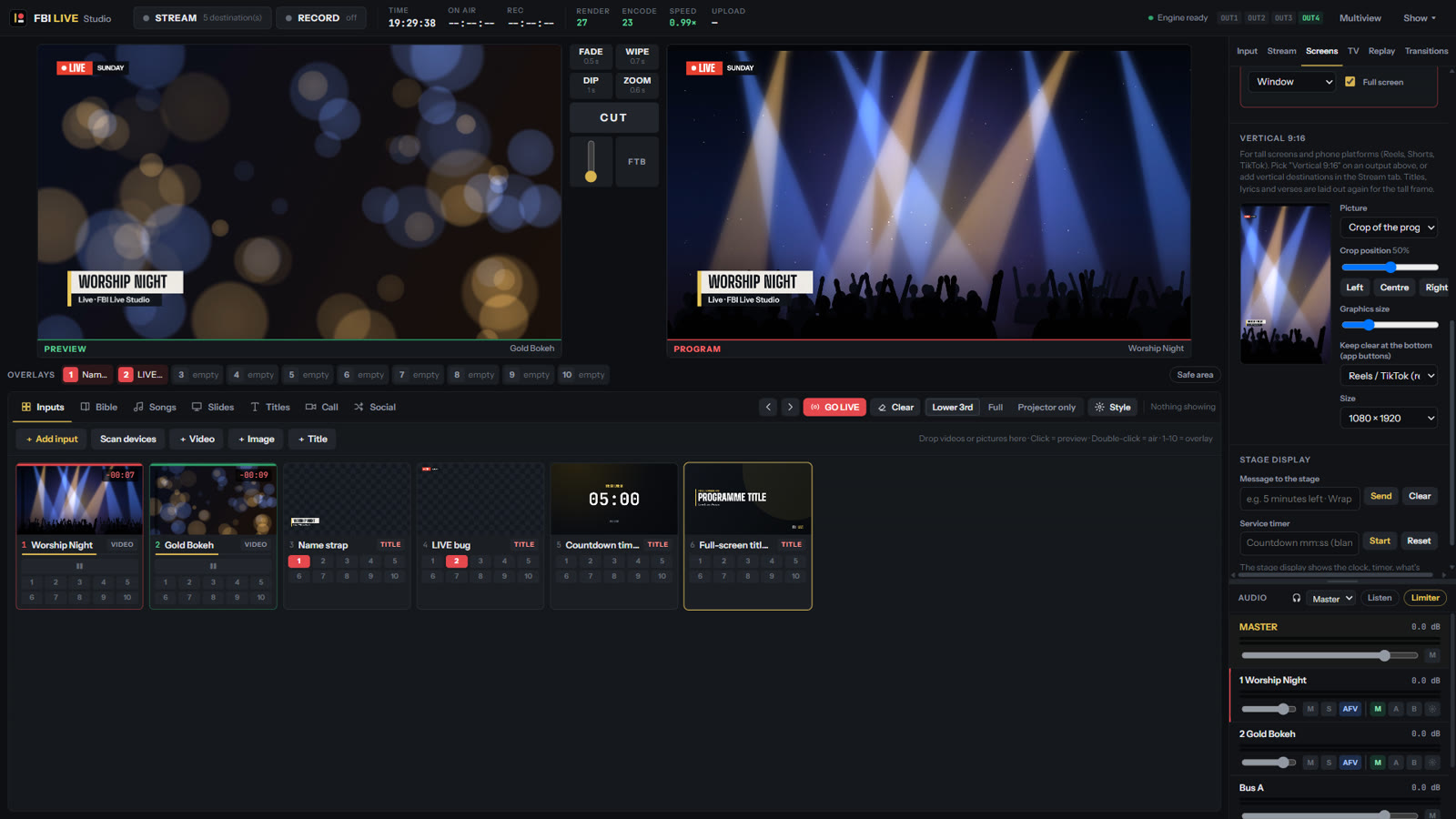
The program is cropped to 9:16 and you slide the crop left or right, or give the vertical picture its own camera.
Graphics laid out again
Name straps, verses and lyrics are redrawn for the tall frame and kept above the app buttons at the bottom, so nothing gets cut off.
A fourth output screen
Output 4 shows the vertical picture full screen on a portrait TV, LED wall or lobby display.
Vertical streams
Set any destination to vertical. TikTok and Instagram start that way, with ready presets for YouTube Shorts and Facebook Reels.
Both at once
The landscape and vertical streams run side by side, each with its own Start, Stop and automatic reconnect.
720p or 1080p
Pick 1080 × 1920 for the sharpest picture or 720 × 1280 for lighter laptops.
Built for TV stations too
Feed a TV station, run your own internet TV channel, connect to the rest of the studio over NDI®, and leave the channel running day and night.
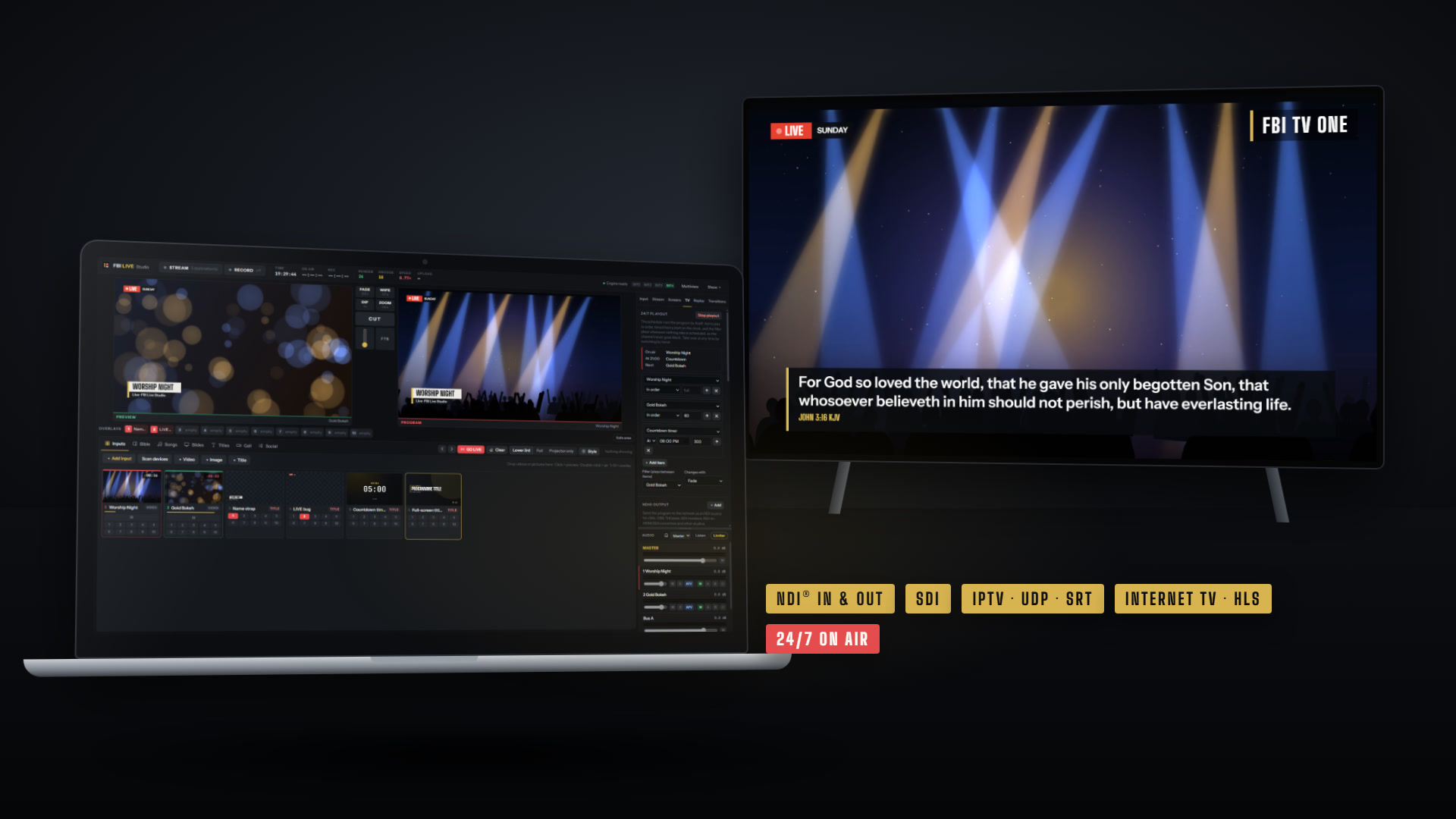
NDI® in
Every NDI source on your network shows up in Add input: PTZ and NDI cameras, vMix, OBS, TriCaster, phones and other computers, with picture and sound.
NDI® out
Send the program, or the vertical picture, to the network as an NDI source for NDI monitors, converters, recorders and other studios.
SDI out
Out of a Blackmagic DeckLink or UltraStudio card in broadcast formats from 720p50 to 1080p60, including 1080i50 and 1080i59.94.
TV & IPTV feeds
Broadcast MPEG-TS over UDP multicast, RTP or SRT with your channel name, provider, service ID and constant bitrate, for transmitters, cable, satellite uplinks and IPTV headends.
Internet TV channel
An HLS channel (.m3u8) for smart-TV apps, Roku, Fire TV, Android TV, OTT platforms and websites. Serve it in the building or upload it to your server or CDN.
24/7 playout
A schedule runs the channel by itself: programmes in order, timed shows on the clock and a filler in between, so the screen never goes black. Take over by hand at any time.
Bring the world into your show
Guests on their phones, comments from three platforms and live feeds from other churches and studios all arrive as inputs you can switch to.
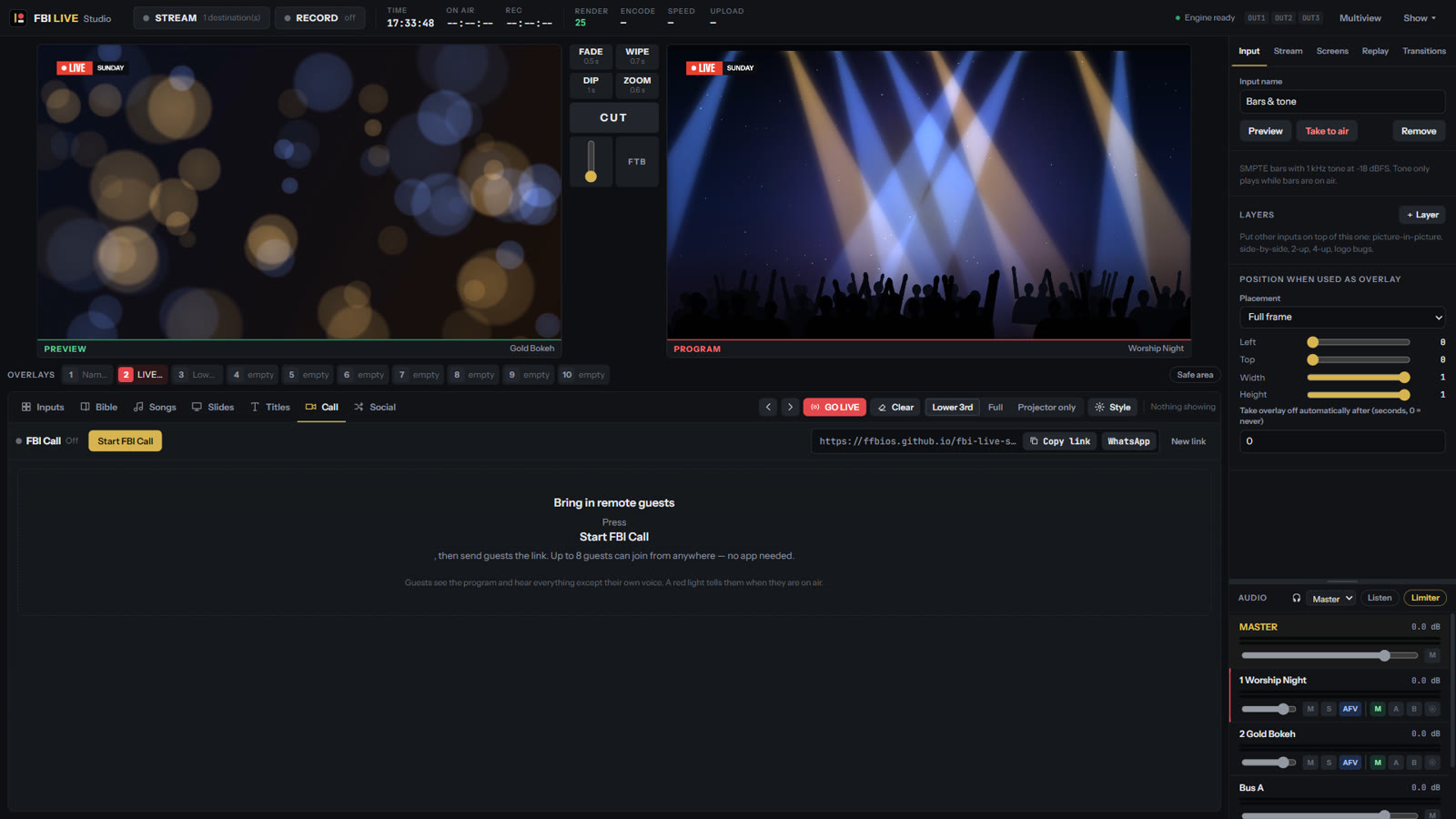
FBI Call: 8 remote guests
Send a link. Guests join from any phone or laptop browser with no app to install. Each one becomes an input with its own audio channel, sees the program, hears everyone but themselves (mix-minus) and gets a red tally light when they're on air.
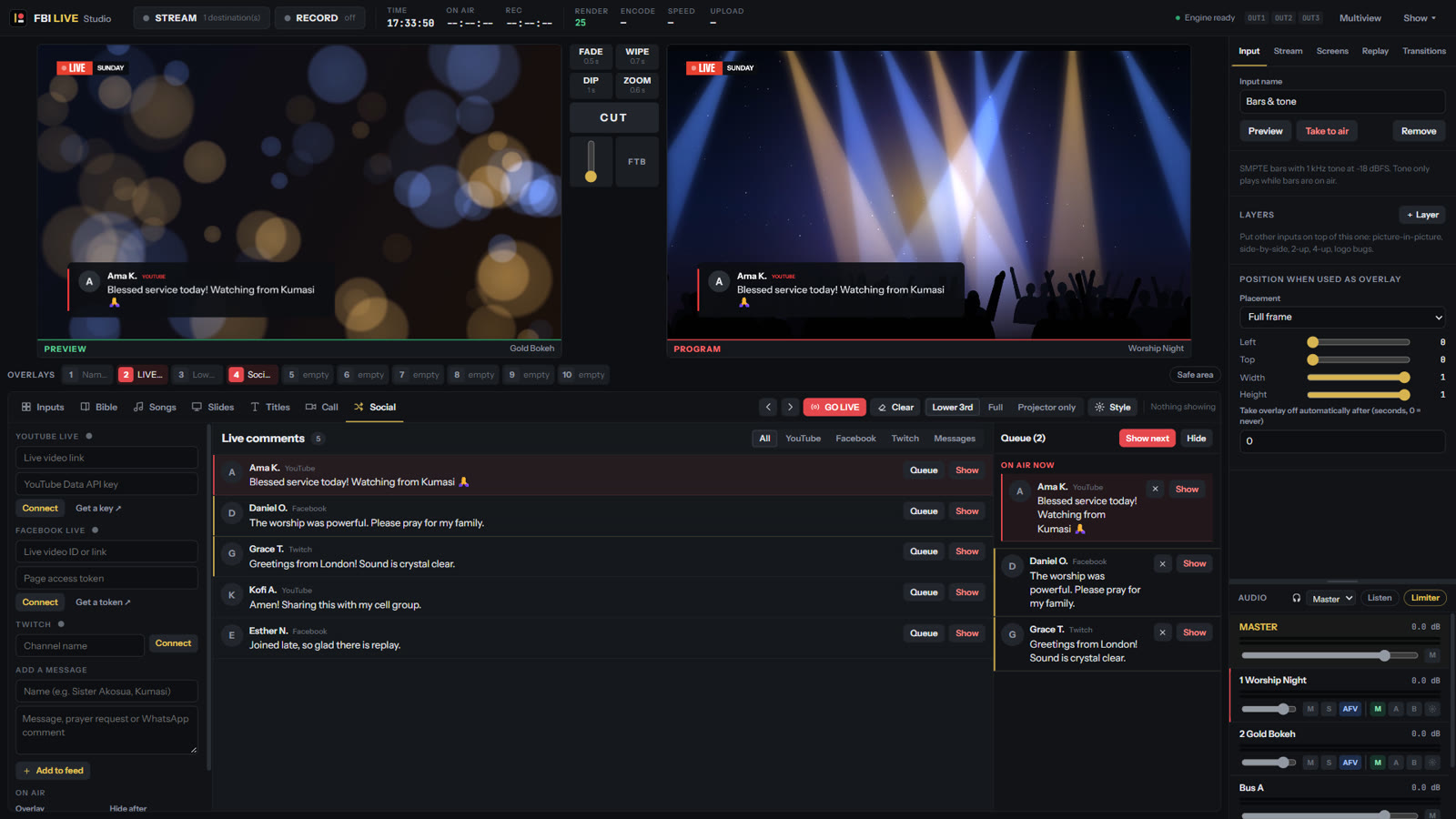
FBI Social: live comments
Pull in comments from YouTube, Facebook and Twitch, or paste WhatsApp messages and prayer requests. Queue them and put them on air as an animated card.
Live stream input
Paste a YouTube, Facebook or Twitch live link, or any RTMP, RTSP, SRT or HLS address, and it becomes an input. Put your graphics on top and restream it.
Others can stream into you
- RTMP or SRT listener: another church, OBS, vMix or a phone app pushes straight into the studio
- SRT caller: dial out to a remote SRT server, with latency, stream ID and an encrypted passphrase
Instant replay
Play the last 5, 8 or 15 seconds at 100, 50 or 25% speed, then cut back automatically. Multi-camera replay records up to 4 angles at once. Save highlights for later.
Every screen is the real thing
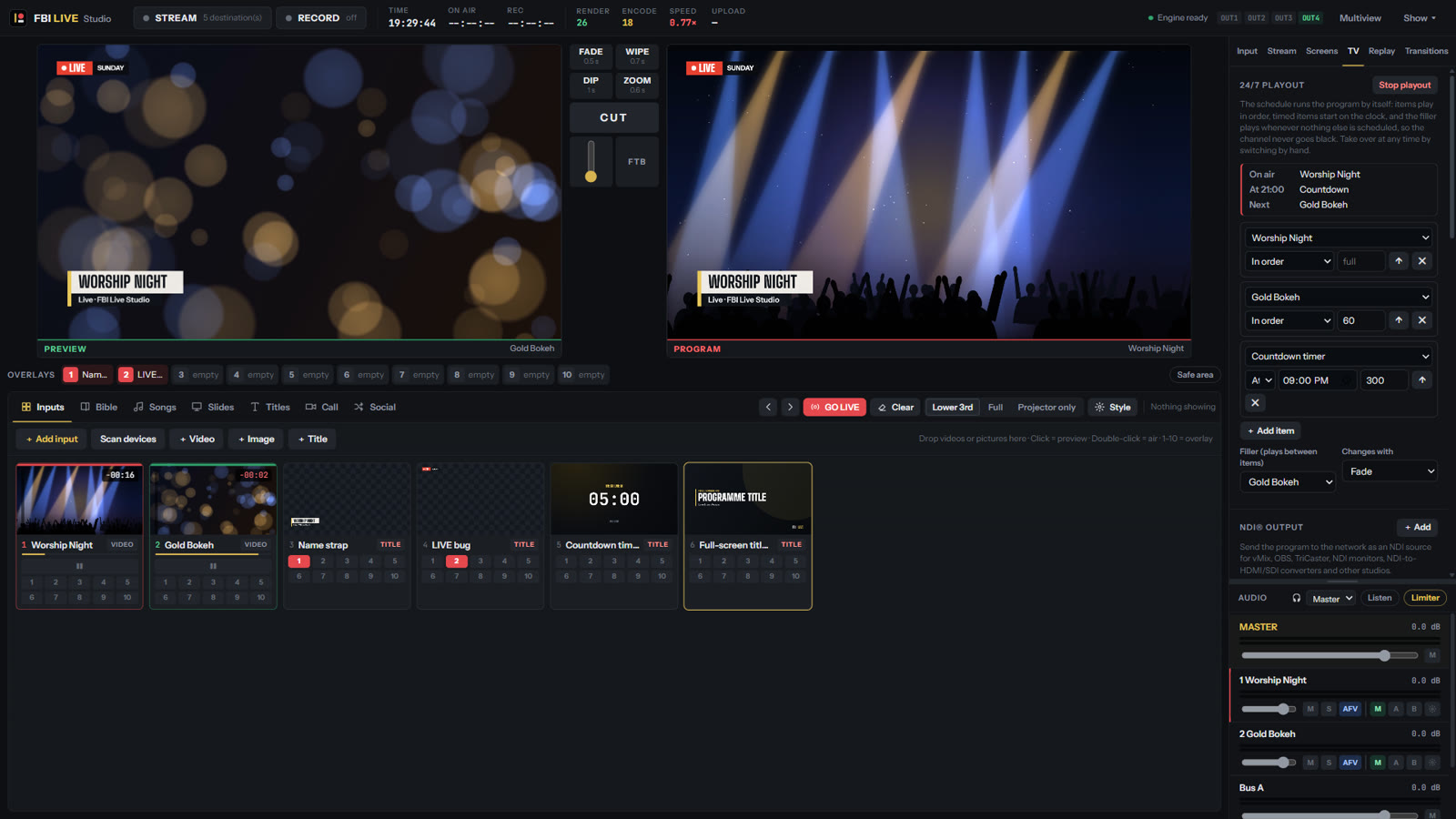
Fast hands, saved shows
Save a whole show (titles, layouts, mixer settings) and open it next week. The studio restores your last session by itself and tells you when a new version is out.
| Keys | What they do |
|---|---|
| 1–9 | Put an input on Preview |
| Shift+1–9 | Cut that input straight to Program |
| Space | Cut |
| Enter · F5–F8 | Transitions 1–4 |
| Alt+1–0 | Overlays 1–10 on and off |
| → PgDn · ← PgUp | Next or previous verse, lyric or slide (clickers work too) |
| Esc | Clear the text or slide |
| B | Fade to black |
| R | Replay the last 8 seconds |
| Ctrl+S | Save the show |
Runs on the computer you already have
Version 2.4.1. Free to download and free to use in church, at events or in your business. Pick your system and the installer starts downloading.
Windows
Windows 10 and 11, 64-bit. If SmartScreen warns about an unknown app, click More info, then Run anyway.
Mac
macOS 12 Monterey or newer. The first time, right-click the app and choose Open. Not sure which chip? Apple menu → About This Mac.
Linux
AppImage runs anywhere (make it executable, then open it). The .deb suits Ubuntu, Debian and Mint. Also built for ARM64.
| For a smooth show | What to do |
|---|---|
| Upload speed | Each platform needs about the video bitrate plus audio (4.5 Mbps ≈ 4.7 Mbps per platform). Keep the total under half your internet upload speed. |
| 4K shows | A 4K program needs a graphics card (NVIDIA, AMD or Intel Arc) or an Apple chip, and at least 8 GB of memory. On basic laptop graphics, keep the program at 1080p. 4K video files still play smoothly there. |
| Speed reading | If Speed drops below 1.00×, the computer can't keep up: close other apps, switch to 720p or lower the bitrate. |
| "In use by another app" | Close OBS, Zoom, Teams or the Camera app. Only one program can use a capture device at a time. |
Good questions
Is it really free?
Do I need the internet to use it?
Which cameras and capture cards work?
Can it feed our TV station or run a 24/7 channel?
Can I stream vertical for TikTok and Reels?
Can I stream to YouTube and Facebook at the same time?
Can I use NKJV or NIV?
Will it run on my old computer?
Windows or my Mac warns me when I open it. Is it safe?
Where do my recordings go?
Go live this Sunday.
Download FBI Live Studio, plug in a camera and press STREAM.